C# is a programming language, and it doesn’t have its own standalone framework. However, C# is closely associated with the .NET framework, which provides a comprehensive set of libraries and runtime for developing, running, and deploying applications. The .NET framework includes several components:
- Common Language Runtime (CLR): The CLR is the execution environment for .NET applications. It manages memory, handles exceptions, and facilitates interoperability between different languages targeting the .NET platform.
- Base Class Library (BCL): The BCL is a set of classes that provide fundamental functionality for various application types. It includes classes for working with collections, input/output operations, networking, and more.
- ASP.NET: A web application framework for building dynamic web applications and services.
- Windows Presentation Foundation (WPF): A framework for building Windows desktop applications with rich user interfaces.
- Windows Forms: A framework for building Windows desktop applications with traditional, event-driven programming.
- Entity Framework: An Object-Relational Mapping (ORM) framework that simplifies database interactions in .NET applications.
- ASP.NET Core: A cross-platform, high-performance framework for building modern, cloud-based, and internet-connected applications.
- Xamarin: A framework for building cross-platform mobile applications using C#.
- Windows Communication Foundation (WCF): A framework for building service-oriented applications.
In recent years, Microsoft has shifted towards a more modular and cross-platform approach with .NET 5 and later versions, unifying the previously separate .NET Core and .NET Framework into a single, cohesive platform. This evolution allows developers to build applications that can run on Windows, Linux, and macOS.
Exploring C# and .NET: A Sample Code Journey
C# and the .NET framework offer a versatile and powerful ecosystem for building a wide range of applications. In this article, we’ll take a tour of key features and frameworks within the .NET ecosystem through a series of sample codes.
1. Hello World in C#:
using System;

class Program
{
    static void Main()
    {
        Console.WriteLine("Hello, C#!");
    }
}
This simple “Hello World” program showcases the basic structure of a C# console application.
2. ASP.NET Core Web Application:
// Startup.cs

using Microsoft.AspNetCore.Builder;
using Microsoft.AspNetCore.Hosting;
using Microsoft.Extensions.DependencyInjection;

public class Startup
{
    public void ConfigureServices(IServiceCollection services)
    {
        services.AddMvc();
    }

    public void Configure(IApplicationBuilder app, IHostingEnvironment env)
    {
        if (env.IsDevelopment())
        {
            app.UseDeveloperExceptionPage();
        }

        app.UseMvc(routes =>
        {
            routes.MapRoute(
                name: "default",
                template: "{controller=Home}/{action=Index}/{id?}");
        });
    }
}
This snippet illustrates a basic setup for an ASP.NET Core web application with MVC (Model-View-Controller) architecture.
3. WPF Desktop Application:
// MainWindow.xaml.cs

using System.Windows;

public partial class MainWindow : Window
{
    public MainWindow()
    {
        InitializeComponent();
    }

    private void Button_Click(object sender, RoutedEventArgs e)
    {
        MessageBox.Show("Hello from WPF!");
    }
}
A simple WPF application with a button click event displaying a message box.
4. Entity Framework Core Database Interaction:
// ApplicationDbContext.cs

using Microsoft.EntityFrameworkCore;

public class ApplicationDbContext : DbContext
{
    public DbSet<User> Users { get; set; }

    protected override void OnConfiguring(DbContextOptionsBuilder optionsBuilder)
    {
        optionsBuilder.UseSqlServer("your-connection-string");
    }
}

// User.cs

public class User
{
    public int Id { get; set; }
    public string Name { get; set; }
    public string Email { get; set; }
}
Setting up a simple Entity Framework Core database context and model for user data.
5. Xamarin Cross-Platform Mobile App:
// MainPage.xaml.cs

using Xamarin.Forms;

public partial class MainPage : ContentPage
{
    public MainPage()
    {
        InitializeComponent();

        var button = new Button
        {
            Text = "Click me!",
            VerticalOptions = LayoutOptions.CenterAndExpand,
            HorizontalOptions = LayoutOptions.CenterAndExpand
        };

        button.Clicked += (sender, e) => DisplayAlert("Greetings", "Hello from Xamarin!", "OK");

        Content = new StackLayout
        {
            Children = { button }
        };
    }
}
A simple Xamarin.Forms mobile application with a button triggering an alert.
Conclusion: Embracing the .NET Ecosystem
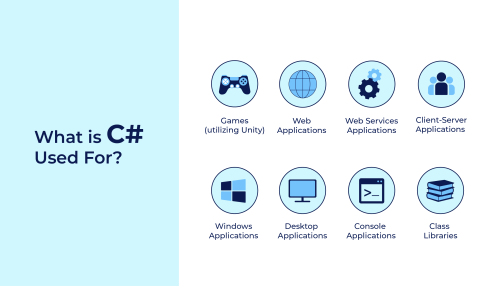
These sample codes provide a glimpse into the diverse application scenarios that C# and the .NET framework can address. Whether you’re developing console applications, web applications, desktop applications, or cross-platform mobile apps, the .NET ecosystem offers a unified platform with a rich set of libraries and frameworks to streamline your development journey.