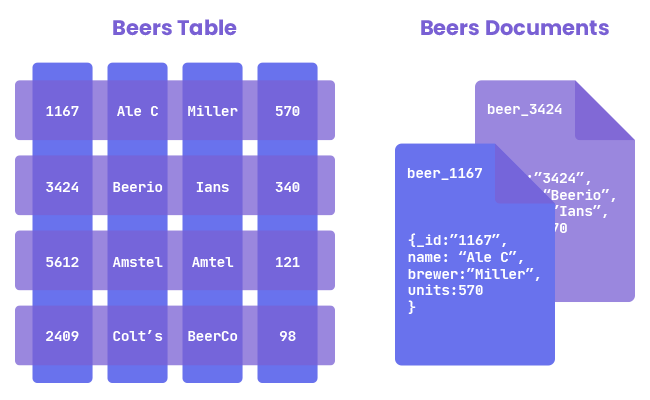
Document-Based Databases (also known as document stores) are a type of NoSQL database designed to store, retrieve, and manage document-oriented information. They are optimized for handling large volumes of semi-structured or unstructured data.
Definition:
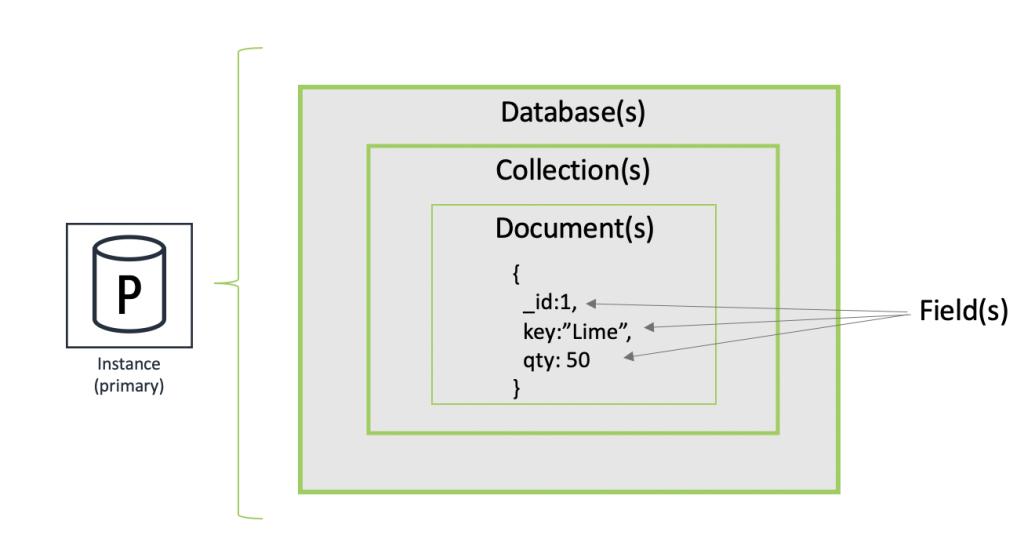
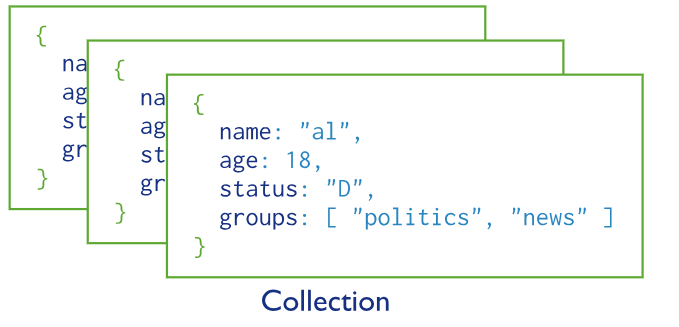
A document-based database stores data in documents, typically using formats like JSON, BSON, or XML. Each document is a self-contained unit of data that may contain nested fields and various data types.
Example (JSON document in MongoDB):
{
  "name": "Alice",
  "age": 30,
  "skills": ["Python", "MongoDB"],
  "address": {
    "city": "New York",
    "zip": "10001"
  }
}
Group Of the Document-Based Databases
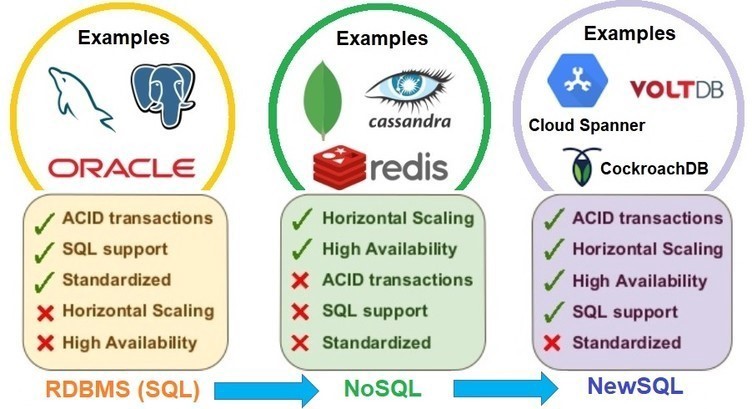
Document-based databases are part of the NoSQL database family, which generally includes:
- Document Stores – e.g., MongoDB, CouchDB
- Key-Value Stores – e.g., Redis, DynamoDB
- Column-Family Stores – e.g., Cassandra, HBase
- Graph Databases – e.g., Neo4j, ArangoDB
Key Characteristics:
- Schema-less or flexible schema
- Store documents as primary units (instead of rows/tables)
- Support for indexing and querying nested fields
- Designed for scalability and performance
Popular Document Databases:
- MongoDB
- CouchDB
- Amazon DocumentDB
- RavenDB
- Firebase Firestore
Example of how document-based databases (like MongoDB) work compared to relational databases (like MySQL) using a sample Users dataset.
🔸 Example Dataset: Users
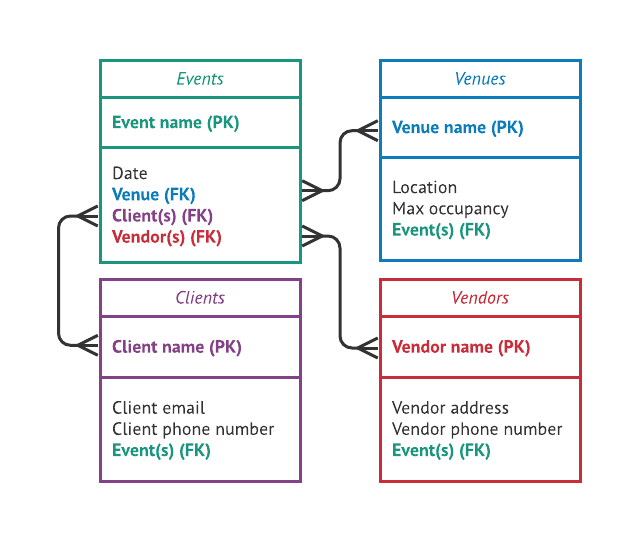
Relational Table (SQL):
| id | name | age | city |
|---|---|---|---|
| 1 | Alice | 30 | New York |
| 2 | Bob | 25 | Chicago |
Document in MongoDB (NoSQL):
{
  "_id": 1,
  "name": "Alice",
  "age": 30,
  "city": "New York"
}
CRUD Operations in MongoDB
1. ✅ Insert a Document
db.users.insertOne({
  _id: 3,
  name: "Charlie",
  age: 28,
  city: "Los Angeles"
})
2. 🔍 Retrieve (Read) Documents
- All users:
db.users.find()
- Filter by city:
db.users.find({ city: "New York" })
3. ✏️ Update a Document
- Update Bob’s age:
db.users.updateOne(
  { name: "Bob" },
  { $set: { age: 26 } }
)
4. ❌ Delete a Document
- Delete user named Charlie:
db.users.deleteOne({ name: "Charlie" })
🧾 Relational (SQL) Example with Join
Tables:
users:
| id | name |
|---|---|
| 1 | Alice |
| 2 | Bob |
orders:
| id | user_id | item |
|---|---|---|
| 1 | 1 | Laptop |
| 2 | 1 | Keyboard |
| 3 | 2 | Smartphone |
SQL Join:
SELECT users.name, orders.item
FROM users
JOIN orders ON users.id = orders.user_id;
MongoDB Equivalent
Option 1: Embedded Documents (Denormalized)
{
  _id: 1,
  name: "Alice",
  orders: [
    { item: "Laptop" },
    { item: "Keyboard" }
  ]
}
Query Example (fetch all orders of Alice):
db.users.find({ name: "Alice" }, { orders: 1 })
Option 2: Referenced Documents (Normalized)
Collection: users
{ _id: 1, name: "Alice" }
Collection: orders
{ _id: 1, user_id: 1, item: "Laptop" }
Cross-Document Lookup (since MongoDB 3.2+)
db.users.aggregate([
  {
    $lookup: {
      from: "orders",
      localField: "_id",
      foreignField: "user_id",
      as: "orders"
    }
  }
])
This behaves like an SQL JOIN.
Summary of Differences
| Feature | Relational DB (SQL) | Document DB (MongoDB) |
|---|---|---|
| Data model | Tables + rows | Collections + documents |
| Joins | Native | $lookup (aggregate) or embedded |
| Best for | Complex relations | Flexible or nested structures |